Why do we care about broken links?
The purely pragmatic answer is because the search engines care, particularly if the broken links are on your own website - there is a school of opinion that says that the engines will penalise a site, even if only very slightly, for having dead links.
The more prosaic answer is simple - it results in a bad experience for your visitors. If it's a dead internal link (to another page on your website) then, to be blunt, it reflects poorly on you.
If it's a dead external link, heading out to third party site, then whilst that's not immediately your fault, there was, presumably, a reason why you wanted to send the visitor there in the first place. And that reason should still exist (otherwise why else would the link exist?). So if the information you wanted to signpost the visitor to is still out there, you want to update the destination of the link to make sure your visitor gets there.
How do they come about?
Any number of reasons, really - often it's because of a typo when the link was first put in place (and then not checked) - or perhaps a trailing slash at the end that shouldn't be there. More commonly, however, is the simple passage of time - particularly for external links, because other sites can often shift their content around, or remove it completely, and you've no way of automatically knowing when that happens. In an ideal world, the other site would put in a redirect to automatically send traffic coming in to the old address onwards to the new address, but that doesn't always happen.
How can we track them down?
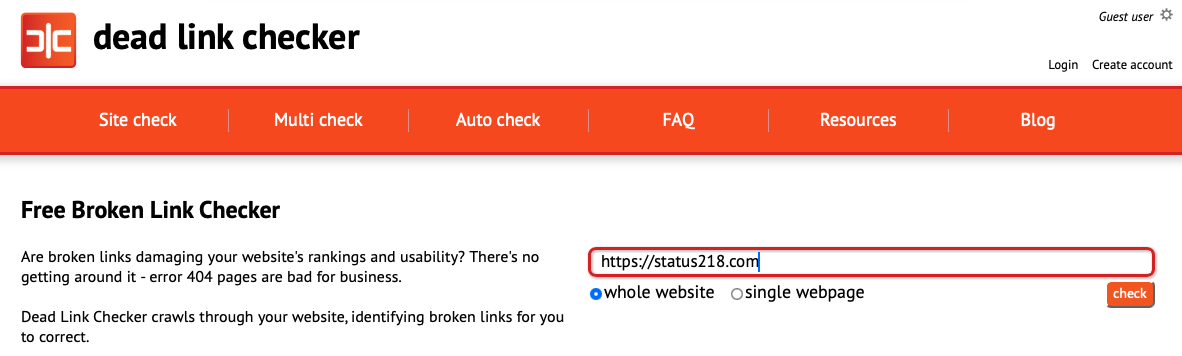
The easiest way - assuming your site isn't enormous - is to use a tool like the appropriately named Dead Link Checker. Simply pop your site's URL in and it will crawl through and highlight any dead links - internal or external - on your site.
We did this, and despite priding ourselves on keeping a keen eye on our site, there were six results across the 180 or so links (internal and external) on our site, as you can see from the list below:
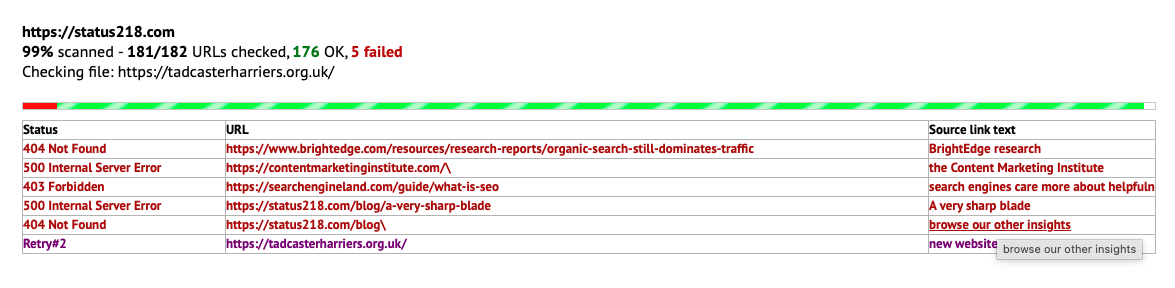
Clicking on the text in the last column of each row will take you to the page on your site that the link exists, with the relevant wording extracted into the table for ease of tracking down.
One thing to mention is that not all of the links may actually be broken - in two of the six cases they were flagged up because the websites in question didn't like the look of the Dead Link Checker's spider.
Of the remainder, two were down to typos (the dreaded trailing slash at the end of the URL - one internal link and one external). One was because the destination website had moved the page without putting a redirect in place. And the last was a technical issue on our own page because it was interpreting example code - rapidly fixed, of course.
It probably took about one minute to check these on our site, and another three minutes to fix. This is not - naturally - a job that has to be done every day. But make a note to do it every three months or so, just in case. And if you come across something you don't understand, or can't easily fix yourself, then feel free to get in touch with us and we'll happily take a look.
Missed the previous instalment? Read Day 3: Sitemaps.
Next up, we look at schema markup in Day 5 of our 10 Days to a Healthier Website series.